An Intro
I’m back after experiencing a little burnout with this project. It was good to take a step back and work on some other projects for a while. I’ve been reading and tinkering a lot lately and I have lots of ideas for articles. So I’ll start in earnest by sharing some of the things that are firing my neurons lately. If there is a common thread, it’s that I love learning about how complex systems actually work.
Xeyes For Fun and Profit
You might have noticed the xeyes widget on this page, watching your mouse move. I built an implementation of xeyes in javascript! It is a small program but it makes me smile.
For years I kept the cheerful googly eyes on my desktop until Wayland came along and stopped publishing global mouse position, leaving xeyes to stare blankly ahead.
I set out to build my own and learn more than I wanted to know about the trigonometry of ovals.
Source Code Check out the source code in the collapsed Details section if you want to use it on your site. I would appreciate a shout-out (It’s MIT Licensed) but have at it. I’d love to see your site if you do feedback@adminjitsu.com
Details
// =========================================================
// TILT xeyes widget, xeyes.js
//
// Copyright (c) 2025 Kevin Joiner (adminjitsu.com)
//
// Permission is hereby granted, free of charge, to any person obtaining a copy
// of this software and associated documentation files (the "Software"), to deal
// in the Software without restriction, including without limitation the rights
// to use, copy, modify, merge, publish, distribute, sublicense, and/or sell
// copies of the Software, and to permit persons to whom the Software is
// furnished to do so, subject to the following conditions:
//
// The above copyright notice and this permission notice shall be included in all
// copies or substantial portions of the Software.
//
// THE SOFTWARE IS PROVIDED "AS IS", WITHOUT WARRANTY OF ANY KIND, EXPRESS OR
// IMPLIED, INCLUDING BUT NOT LIMITED TO THE WARRANTIES OF MERCHANTABILITY,
// FITNESS FOR A PARTICULAR PURPOSE AND NONINFRINGEMENT. IN NO EVENT SHALL THE
// AUTHORS OR COPYRIGHT HOLDERS BE LIABLE FOR ANY CLAIM, DAMAGES OR OTHER
// LIABILITY, WHETHER IN AN ACTION OF CONTRACT, TORT OR OTHERWISE, ARISING FROM,
// OUT OF OR IN CONNECTION WITH THE SOFTWARE OR THE USE OR OTHER DEALINGS IN THE
// SOFTWARE.
// =========================================================
//
// How to reuse this on another site
// --------------------------------
//
// 1) HTML requirements
//    - You MUST have a <canvas> element with id="xeyes":
//
//        <div id="xeyes-widget">
//          <canvas id="xeyes" width="180" height="90"></canvas>
//        </div>
//
//      • The width/height attributes (180 x 90) matter, because the
//        eye positions below are hard-coded for that size.
//      • If you change the canvas size, you’ll need to adjust eye1/eye2
//        (x, y, radiusX, radiusY) to match your new layout.
//
// 2) CSS expectations
//    - This script does NOT position the widget; it only draws.
//      You’re expected to style the wrapper in CSS, e.g.:
//
//        #xeyes-widget {
//          position: fixed;
//          top: 20px;
//          right: 20px;
//          width: 180px;   /* match <canvas> width  */
//          height: 90px;   /* match <canvas> height */
//          background: #e0e0e0;
//          border: 2px solid #000;
//          box-shadow: inset 1px 1px 0 #fff, inset -1px -1px 0 #888;
//          z-index: 9999;
//          pointer-events: none;  /* let clicks pass through */
//        }
//
//        #xeyes {
//          display: block;
//          background: #e0e0e0;   /* same color the JS uses to clear */
//        }
//
//      • If you don’t want it fixed in the corner, you can style
//        #xeyes-widget however you like (inline, in a header bar, etc.).
//      • Optional: hide on small screens with a media query:
//
//        @media (max-width: 960px) {
//          #xeyes-widget { display: none; }
//        }
//
// 3) Script loading
//    - Include xeyes.js AFTER the canvas exists in the DOM, e.g.:
//
//        <!-- near the end of <body> -->
//        <script src="js/xeyes.js"></script>
//
//      or wrap the code in a DOMContentLoaded handler.
//    - No libraries required; this is plain JS + canvas.
//
// 4) Behavior notes
//    - The script listens to document-wide 'mousemove' events and
//      converts them into canvas coordinates so the pupils track the
//      real cursor.
//    - On touch-only devices, nothing special happens (no mousemove),
//      which is fine; the widget just shows idle eyes.
// =========================================================


// Get the canvas element that will host our xeyes
const canvas = document.getElementById('xeyes');
// 2D drawing context for all rendering
const ctx = canvas.getContext('2d');

// Geometry for the two eyes (positions + ellipse radii)
// These are hard-coded to match the canvas size (180x90)
const eye1 = { x: 45,  y: 45, radiusX: 32, radiusY: 38 };   // left eye
const eye2 = { x: 135, y: 45, radiusX: 32, radiusY: 38 };   // right eye

// Radius of the black pupil circle
const pupilRadius = 7;

/**
 * Draw a single eye: white oval, black outline, and the pupil.
 *
 * @param {Object} eye      - Eye geometry (x, y, radiusX, radiusY).
 * @param {number} pupilX   - X coordinate of the pupil center.
 * @param {number} pupilY   - Y coordinate of the pupil center.
 */
function drawEye(eye, pupilX, pupilY) {
    // Draw filled white oval (eyeball)
    ctx.fillStyle = '#ffffff';
    ctx.beginPath();
    ctx.ellipse(eye.x, eye.y, eye.radiusX, eye.radiusY, 0, 0, Math.PI * 2);
    ctx.fill();

    // Draw thick black outline around the eyeball
    ctx.strokeStyle = '#000000';
    ctx.lineWidth = 5;
    ctx.beginPath();
    ctx.ellipse(eye.x, eye.y, eye.radiusX, eye.radiusY, 0, 0, Math.PI * 2);
    ctx.stroke();

    // Draw small black pupil (filled circle)
    ctx.fillStyle = '#000000';
    ctx.beginPath();
    ctx.arc(pupilX, pupilY, pupilRadius, 0, Math.PI * 2);
    ctx.fill();

    // Draw pupil outline for a crisper look
    ctx.strokeStyle = '#000000';
    ctx.lineWidth = 3;
    ctx.beginPath();
    ctx.arc(pupilX, pupilY, pupilRadius, 0, Math.PI * 2);
    ctx.stroke();
}

/**
 * Compute where the pupil should be drawn inside the oval eye,
 * pointing towards the mouse, without leaving the eye boundary.
 *
 * This treats the eye as an ellipse and constrains the pupil
 * to an inner ellipse so it never escapes the white part.
 *
 * @param {Object} eye    - Eye geometry (x, y, radiusX, radiusY).
 * @param {number} mouseX - X coordinate of the mouse relative to canvas.
 * @param {number} mouseY - Y coordinate of the mouse relative to canvas.
 * @returns {{x: number, y: number}} Pupil center coordinates.
 */
function getPupilPosition(eye, mouseX, mouseY) {
    // Vector from eye center to mouse
    const dx = mouseX - eye.x;
    const dy = mouseY - eye.y;
    const angle = Math.atan2(dy, dx);  // direction from eye to mouse

    // How far the pupil is allowed to move inside the eye,
    // keeping a small padding from the edge (the "- 4")
    const maxDistX = eye.radiusX - pupilRadius - 4;
    const maxDistY = eye.radiusY - pupilRadius - 4;

    // Precompute trig values for the direction
    const cos = Math.cos(angle);
    const sin = Math.sin(angle);

    // Project the direction onto the bounding ellipse.
    // This gives us the distance from the center to the edge of
    // the ellipse along (cos, sin).
    //
    // edgeDist is basically "how far can we go in this direction
    // before leaving the white part of the eye?"
    const edgeDist = (maxDistX * maxDistY) /
        Math.sqrt(Math.pow(maxDistY * cos, 2) + Math.pow(maxDistX * sin, 2));

    // Distance from eye center to mouse (clamped so we don't go past the edge)
    const distance = Math.min(Math.sqrt(dx * dx + dy * dy), edgeDist);

    // Final pupil position along that direction
    return {
        x: eye.x + cos * distance,
        y: eye.y + sin * distance
    };
}

/**
 * Draw the full xeyes widget for a given mouse position.
 *
 * @param {number} mouseX - Mouse X coordinate relative to canvas.
 * @param {number} mouseY - Mouse Y coordinate relative to canvas.
 */
function draw(mouseX, mouseY) {
    // Clear the canvas with a flat grey background
    ctx.fillStyle = '#e0e0e0';
    ctx.fillRect(0, 0, canvas.width, canvas.height);

    // Compute where each pupil should go based on the mouse position
    const pupil1 = getPupilPosition(eye1, mouseX, mouseY);
    const pupil2 = getPupilPosition(eye2, mouseX, mouseY);

    // Draw both eyes with their respective pupil positions
    drawEye(eye1, pupil1.x, pupil1.y);
    drawEye(eye2, pupil2.x, pupil2.y);
}

// Track mouse movement anywhere in the document.
// Convert window coordinates into canvas-local coordinates
// so the pupils follow correctly.
document.addEventListener('mousemove', (e) => {
    const rect = canvas.getBoundingClientRect();
    const mouseX = e.clientX - rect.left;
    const mouseY = e.clientY - rect.top;
    draw(mouseX, mouseY);
});

// Initial draw with both eyes looking straight ahead (center of canvas)
draw(canvas.width / 2, canvas.height / 2);
Support Some Awesome Organizations
I believe the world is better off having Wikipedia and Archive.org in it. They built things that are immensely useful to society and have fought along the way to stay independent. They’ve had to deal with lawsuits and fundraising along the way. Please support these organizations if you can.
-
Wikipedia - the reference layer under everything. If you use it, donate — it runs on that, not ads.
-
Internet Archive - the Wayback Machine, plus books, software, and audio nobody else kept. The reason the link below still exists at all. Support them here.
-
The Electronic Frontier Foundation - they defend free speech and privacy in a world that badly needs it. Please donate to them as well. They truly look out for the little guy in a world dominated by big tech with their political power and complex legal battles that few ordinary people could possibly afford to fight. donate.
Engineering blogs I like
I’m such a fan of sites that publish engineering details, usually in blog form. I’ve learned a lot over the years. Here are a few good ones:
-
Cloudflare Blog — Has transparent incident reports and technical deep-dives on DDoS mitigation, DNS, and distributed systems. They write about major attacks and how they defeated them. Great read.
-
Netflix TechBlog — explains design pressure from real workloads
-
Stripe Engineering — their post on idempotency is a great read. Payments-grade rigor, design rationale, what broke.
-
GitHub Engineering — scaling git itself. Reading how the thing you use every day is built
-
Backblaze Drive Stats — since 2013 they’ve published failure-rate statistics on the drives in their data centers, cited in over 105 academic papers. Raw, downloadable, thirteen years deep. Gives an interesting perspective
-
Discord Engineering — the “how we store trillions of messages” posts are the good stuff. Real-time systems laid bare.

South Park characters © Comedy Central / South Park Digital Studios. Image via the South Park Archives.
-
Southpark Studios - used to have a really good one but I can’t find it even in Wayback Machine. Too bad.
-
Figma Engineering — their multiplayer/CRDT writeups are some of the best “how we actually built the hard part” pieces on the web.
-
LinkedIn Engineering — their Kafka-at-scale writing is a great read. LinkedIn invented Kafka so they are certainly an authority.
-
Uber Engineering — strong on data systems and platform evolution. How their clever algorithms scale.
-
Meta Engineering — talks about large-scale systems
-
Dropbox Tech — storage, sync internals
-
Spotify Engineering — ML and streaming at scale
-
Etsy — Code as Craft - this is a great resource that documents how a little site grew into a monster and how they scaled to handle the traffic.
-
Slack Engineering — messaging infrastructure
Behind the scenes at a big project
- Interview with a Pornhub Web Developer — a SFW technical interview on running one of the highest-traffic sites on the web: WebRTC, WebXR, dropping jQuery, scaling problems most engineers never see.
- David Walsh’s Interviews archive - Conversational sit-downs with the people who built CodePen, jsFiddle, Vimeo, Roku’s web stack, and more.
- High Scalability - “Real-Life Architectures” teardowns of how Twitter, Instagram, Netflix, and others actually built it, challenges and all.
- Scaling Slack’s Infrastructure — Julia Grace’s war-story talk on standing up Slack’s first infra org as it hit its scaling wall. Mistakes included.
- Ken Little on Scaling Tumblr — sharded-architecture interview from the Tumblr/Etsy scaling era.
Large Language Models and Mathematics
I’ve used AI to help piece this site together in the past, and I have mixed feelings about it. But I’m fascinated by how Large Language Models actually work, partly because I worry about their impact. There are serious issues here that require real understanding to even discuss, and I seriously doubt the average lawmaker has it.
A seminal paper that directly led to today’s LLM technology: Attention Is All You Need | wikipedia article about ‘Attention is All You Need’
I’ve gone down a lot of rabbit holes but these are some solid Wikipedia hubs that link to all the papers and other entries.
-
Machine Learning - this is a great Wikipedia page to bookmark. It contains links to tons of related topics and a lot of research papers are cited in References.
-
AlexNet - an important early step on the road to LLM
-
Transformer - the transformer is a family of artificial neural network architectures based on the multi-head attention mechanism
-
Softmax function - An algorithm that squashes raw scores into probabilities that add up to 1.
-
Large language model — the main hub page; pairs with your Machine Learning bookmark.
-
Backpropagation — how the thing actually learns.
-
Gradient Descent - How models stumble towards less-wrong.
-
Word embedding — the “concepts as directions in space” idea, foundational and genuinely mind-bending.
-
Multilayer perceptron — stack enough simple neurons in layers and they can learn almost any pattern.
-
Reinforcement learning from human feedback — RLHF, the step that turned raw models into assistants. Under-understood, exactly the kind of thing you said lawmakers miss.
-
SNARC - Marvin Minksy’s Stochastic Neural Analog Reinforcement Calculator. It was inspired by McCulloch and Pitts 1943 paper on artificial neurons and built with vacuum tubes.
This was a terrific paper that deserves to be called out separately. It explores the mathematical shortcomings of our language models.
- On the Dangers of Stochastic Parrots - I couldn’t ever read this on ACM’s website but archive.org has a copy. Really interesting paper.
Exploring LLMs with visualizations
- LLM Visualization (Brendan Bycroft) — a full GPT rendered in interactive 3D; zoom into every layer, attention head, and matrix multiply and watch inference happen. Karpathy himself praised it. The most “inspection window” thing on this whole list.
- Transformer Explainer (Georgia Tech) — a live GPT-2 running in your browser; type your own text, turn the temperature knob, and watch the probability distribution shift in real time.
- The Illustrated Transformer (Jay Alammar) — the canonical visual explainer. Static, but the diagrams are so good it’s cited in courses at Stanford, MIT, and CMU.
- But what is a GPT? (3Blue1Brown) — Grant Sanderson’s visual intro to transformers.
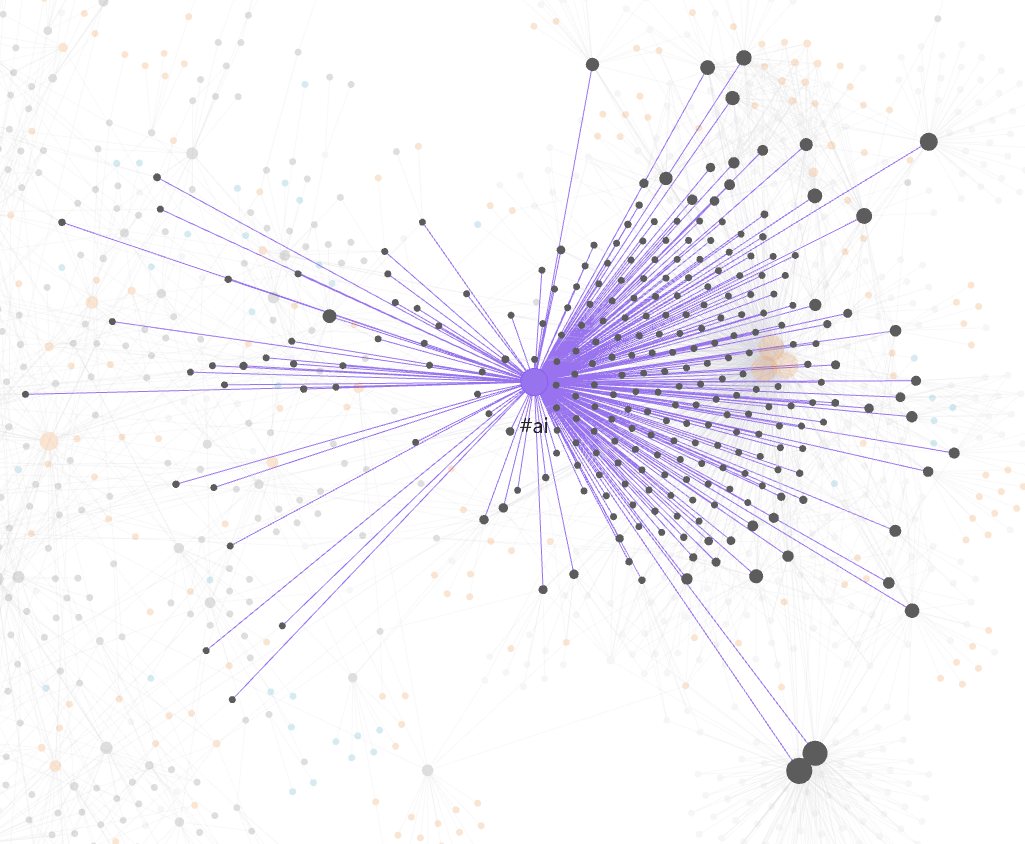
#ai tag lit up — what "going down a lot of rabbit holes" actually looks like.
Self Learning
Horrifying as it might be, there is real research into allowing models to train themselves. There are loads of papers about how it works.
Self-feedback & iterative refinement
- Self-Refine (Madaan et al., 2023)
- Reflexion (Shinn et al., 2023)
- Large Language Models Cannot Self-Correct Reasoning Yet (Huang et al., 2023)
Episodic memory
- Episodic Memory is the Missing Piece for Long-Term LLM Agents (Pink et al., 2025)
- MemGPT (Packer et al., 2023)
- A-MEM: Agentic Memory for LLM Agents (Xu et al., 2025)
- Generative Agents (Park et al., 2023)
Continuous / infinite context
- Infini-attention (Munkhdalai et al., 2024)
- StreamingLLM (Xiao et al., 2023)
- RULER: What’s the Real Context Size? (Hsieh et al., 2024)
Self-Taught Evaluator
Unix and Interesting Code Bases
I like to collect code bases for study or as a reference. I found a few good ones over the last year or two.
-
Python Algorithms - Well this is just fantastic
-
Apollo 11 AGC source code - Amazing comments for the casual peruser. Incredibly efficient ASM code
-
Darius Kazemi’s Corpora - I use these json corpora in tons of scripts. It’s so useful I keep a copy with my dotfiles setup in $DOTFILES/data that my scripts can refer to easily. Check this out if you like language or want to write a crappy twitter bot 😂
-
Doom Source Code - I learned a ton by crawling through this code. Maybe I’ll port Doom to my Coffee Maker one of these days.
-
Quake III Arena — id’s GPL source. Home of the legendary fast inverse square root and full of weapons-grade commentary.
-
xv6 — MIT’s teaching OS, a clean modern reimplementation of Unix V6 built to be read.
-
Lions’ Commentary on UNIX 6th Edition — the annotated V6 source passed around as samizdat photocopies for years. The greybeards’ sacred text.
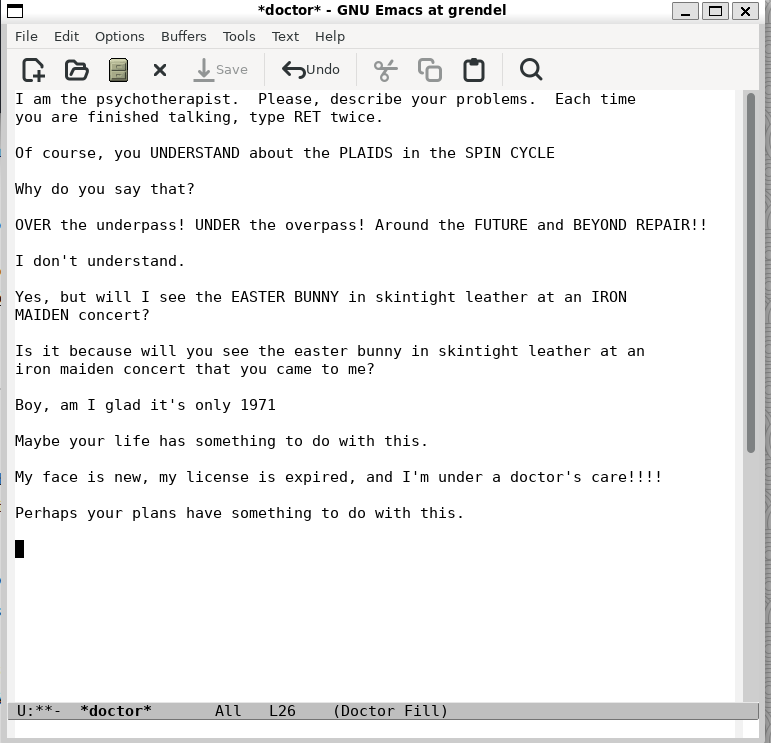
M-x doctor earnestly psychoanalyzing a stream of Zippy the Pinhead quotes. Emacs deprecated the Zippy database over copyright, so I had to feed her by hand.
-
ELIZA (original 1966 source) — Weizenbaum’s chatbot, MAD-SLIP source recovered from the MIT archives, plus a faithful C++ recreation. Like a lot of people, I was exposed to Eliza through emacs
M-x doctor. Unfortunately they removed the Zippy the Pinhead quotes so you can no longer doM-x psychoanalyze-pinheadand watch ELIZA respond to Zippy quotes. In the example above I supplied my own thanks to good oldfortune zippy -
llama2.c — Karpathy’s Llama 2 inference in one file of pure C.
Miscellany
-
Reflections on Trusting Trust - Ken Thompson is always worth a read.
-
Bootstrapping a compiler - how you write a C compiler in C and solve the chicken and egg problem.
-
Quine (self-replicating program) — a program whose output is its own source code. Useless but makes a nice hello world style demo.
-
Rice’s Theorem — the Halting Problem’s meaner sibling: any non-trivial property of program behavior is undecidable. It’s a theorem about why perfect linters and antivirus can’t exist.
-
Gödel’s incompleteness theorems — the mathematical ancestor of the Halting Problem. Same self-referential trap.
-
Rule 110 — a one-line cellular-automaton rule that turns out to be Turing complete. Complexity from almost nothing.
-
Two Generals’ Problem — you cannot guarantee agreement over an unreliable channel. Ever. Why TCP handshakes and distributed consensus work the way they do.
-
Benford’s law — in real-world data, the leading digit is a 1 about 30% of the time, not 11%. Used to catch fraud in accounting and elections.
-
Birthday problem — 23 people, better-than-even odds two share a birthday. The intuition-breaker behind hash collisions and why cryptographic digests need to be long.
-
Collatz conjecture — a rule a child can follow, that nobody can prove terminates. Erdős: “mathematics is not yet ready for such problems.”

Danielkwalsh, CC BY-SA 4.0, via Wikimedia Commons.
- Mandelbrot set — infinite, self-similar complexity from a one-line iteration. The mathematical big brother of the Droste effect. I wrote about this previously in Even More Cromulent Words
- Banach–Tarski paradox — cut a solid sphere into five pieces, reassemble them into two spheres identical to the original.
- Klein bottle — a surface with no inside or outside; a bottle whose neck passes through its own wall. I happen to have an amazing one on my shelf that was made by the brilliant Clifford Stoll.
Conclusion
And with that, I’ll call writer’s block defeated! Thanks for scrolling and stay tuned for more! As always you can reach me at feedback@adminjitsu.com